

NEXURACART JOURNAL
How to Build a Comfortable Gaming Desk Setup in the UAE on a Budget
17 October 2026
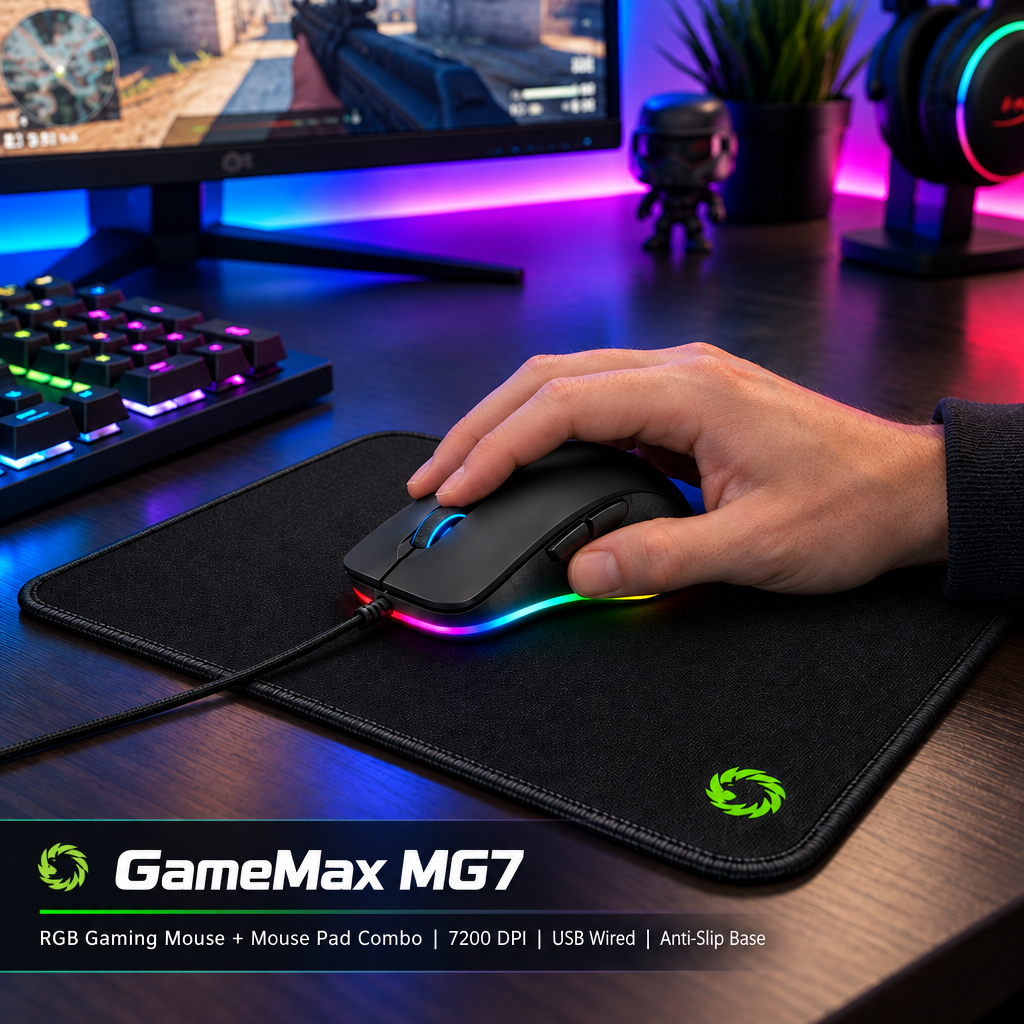
A good gaming corner does not have to arrive in one large order. If your desk already works for study or office tasks, start with the part that makes gaming awkward: limited mouse space, an uncomfortable grip or a headset connection that does not match your device.
This guide helps UAE shoppers plan a useful setup around an existing computer and desk. It covers accessories, rather than the cost of a gaming PC, monitor or furniture. Choose one worthwhile improvement first and leave optional extras for later.
Start with your space and a clear spending limit
Measure the usable area after placing your screen and keyboard. Leave room to move the mouse, open drawers and route cables without pulling on connectors. If the desk is shared with family or used for homework, consider how easily accessories can be moved aside.
Set your complete budget before comparing products, including delivery and any necessary adapters. Buying fewer suitable accessories is usually more useful than choosing a large set of features you will rarely use.
Choose a mouse for your hand and everyday tasks
The GAMEMAX MG7 mouse and pad combo combines a USB mouse with a 285 × 240 × 3 mm pad. Its listed mouse features include six buttons and four DPI settings from 1200 to 3200. It is worth comparing when you need both items and the included pad fits your desk.
If you already have a suitable pad, the GAMEMAX MG8 is a separate USB mouse with six listed DPI levels from 800 to 6400 and an approximate weight of 101 g. Compare its shape and dimensions with your current mouse before choosing.
A higher maximum DPI is not automatically a better experience. Start with a comfortable sensitivity and adjust it in your game. Check current operating-system support and any software requirements; a USB plug alone does not confirm every feature works on every device.
Decide whether you need a basic pad or optional lighting
The GAMEMAX GMP-001 is listed at 400 × 320 × 3 mm, with fabric and rubber construction and an anti-slip base. Mark that footprint on your desk before ordering. Check that the pad leaves enough room for your keyboard and normal mouse movement.
The GAMEMAX GMP-003 offers a larger format intended for a keyboard and mouse, a non-slip rubber base and 14 listed lighting modes. Consider it if lighting is something you enjoy. Confirm the exact dimensions, connection and power requirements before ordering, as these details matter more than a photograph.
If you choose the MG7 combo, try its included pad first. A second pad is an optional alternative, not an essential addition. Lighting changes the appearance of a setup; it does not establish better game performance.
Match the headset connection to your device
The GAMEMAX HG3500 is listed with a USB connection, microphone and 2.2 m cable. Confirm support for your current operating system and any software needed for its advertised audio features before buying.
The GAMEMAX HG300 uses a 3.5 mm connection and has a microphone, volume control and mute switch. Its listing names PC and selected consoles, and notes that older Xbox One controllers need a separate adapter. Check your exact controller or computer ports, including whether a microphone splitter is needed.
For a shared room, think about microphone placement, cable reach and where you will store the headset. Do not assume a noise-cancelling microphone means the headphones provide active noise cancellation.
Keep the keyboard you have unless it causes a problem
A working keyboard can stay in a budget setup. If replacing it, compare layout, size, connection, key feel and noise. A full-size keyboard takes more mouse space than a compact layout. Choose around the games you play and whether the desk is also used for typing or study.
For laptop users, keep ventilation openings clear. Check a stand's fit and stability before use, and consider a separate keyboard and mouse if raising the laptop. Cooling accessories should be chosen for compatibility; no particular temperature reduction is promised here.
A sensible upgrade order
- Rearrange the desk and test the accessories you already own.
- Fix the biggest practical issue: mouse fit, usable surface or audio connection.
- Check dimensions, device support and required extras on the linked listing.
- Review the complete checkout cost and buy only what fits your limit.
- Add decorative lighting later if you still want it.
Frequently asked questions
Do I need RGB accessories for gaming?
No. Choose lighting for appearance and personal preference. Prioritise fit, connection and usability.
Should I buy a mouse combo or separate items?
A combo is worth comparing if you need both items. If your current pad works well, compare a mouse on its own.
Will a USB gaming headset work with every console?
No universal compatibility is claimed. Confirm the exact headset, platform and software requirements before ordering.
Are these products sold as one setup?
No. They are separate listings, except for the mouse and pad included in the MG7 combo. Prices, variants and availability can change.
Build your setup one useful upgrade at a time
Compare the linked NexuraCart gaming accessories, check the current product details and choose what makes your own desk easier to use. You can begin with a mouse or pad and build gradually, without replacing everything at once.